If your Google reviews are disappearing, you may have seen your star count drop, heard from a customer whose review never appeared, or found older reviews gone overnight. Google may remove, filter, delay, or move reviews when its systems detect policy risks, profile changes, duplication, or suspicious activity. Some reviews come back on their own, while others require evidence, profile cleanup, and a careful appeal.
Key Takeaways

- Check visibility first: compare Google Search, Google Maps, your Google Business Profile dashboard, and the direct Maps listing before assuming a review was deleted.
- Policy risk matters: profanity, personal data, URLs, incentives, employee reviews, and review swaps can trigger removal or filtering.
- Profile events matter: suspensions, duplicate listings, merges, moves, and name changes can make legitimate reviews appear to vanish.
- Recovery starts with evidence: collect reviewer display names, star ratings, dates, screenshots, Maps URLs, and support case IDs.
- Ask customers carefully: never offer gift cards, discounts, scripts, or “review us from our Wi-Fi” shortcuts.
- Prevent recurrence: use one review link, request reviews steadily, and keep a simple review log in Google Sheets or Excel.
Why Google reviews disappear
A Google review purge is usually not one manual sweep by a person. More often, policy filters and automated systems review signals from the text, the reviewer’s account, the business profile, and the posting pattern. Google can remove contributions that violate its Google Maps content policy, including spam, fake engagement, off-topic content, restricted content, and conflicts of interest.
| Cause | What it looks like | Best first move |
|---|---|---|
| Policy violation | Review mentions threats, hate speech, private details, or illegal goods | Ask the reviewer to remove risky text if they can still see it |
| Fake engagement signals | Many reviews arrive from new accounts, similar wording, or one location | Stop campaigns and audit recent requests |
| Conflict of interest | Reviews from employees, owners, family, vendors, or competitors | Don’t try to recover them |
| Incentives | Customer got a gift card, discount, contest entry, or free upgrade | Remove incentive language from requests |
| Off-topic content | Review talks about a delivery app, unrelated product, or another branch | Confirm the customer used this exact location |
| Profile changes | Reviews vanish after a move, merge, suspension, or duplicate cleanup | Check all related Google Maps listings |
| Indexing delay | Review appears on Maps but not Search, or vice versa | Wait and document before escalating |
The hardest cases involve fake engagement signals because Google usually won’t disclose the exact trigger. That doesn’t mean every missing review was fake. It means your recovery request needs to show why the reviews were from real customers, tied to the correct business, and not prompted by prohibited incentives.
SMM & Reputation Growth
Grow Your Brand Online — Faster
Boost your social media presence and build a stronger online reputation with SMMSEO24. Trusted by businesses across the US.
- Fast Delivery
- 24/7 Support
- Secure Checkout
Is the loss temporary?
Sometimes, yes. A review can disappear from one Google surface while still existing on another. For example, it may show in the Google Maps app but not on desktop Search, or in your Business Profile notifications but not on the public listing. That points to an indexing delay, not necessarily deletion.
Temporary review loss is more likely when:
- Google Maps shows the review, but Google Search does not.
- Your star count changed, but the review text still appears.
- A customer’s review appears in their Google account, but not publicly.
- Your profile was recently edited in Google Business Profile.
- A duplicate listing was merged into your main listing.
Give clear, recent changes time to settle before submitting multiple tickets. A typical delay may run from 24 to 72 hours, while profile merges and suspensions can take longer. If the review is still missing after basic checks, treat it as a visibility issue and start collecting proof.
First triage checklist
Before appealing, find out whether the review is deleted, filtered, delayed, or attached to the wrong profile. This review inventory saves time and prevents weak support requests.
| Step | Where to check | What to record |
|---|---|---|
| 1 | Google Search business panel | Current rating, review count, missing names |
| 2 | Google Maps app | Whether the same reviews appear there |
| 3 | Google Business Profile | Review notifications, review tab, recent edits |
| 4 | Direct Maps listing URL | Correct business name, address, phone, category |
| 5 | Customer’s Google account | Whether their review is visible to them |
Pro Tip: Use a private browser window and a mobile device on cellular data. If the review appears on one device but not another, you may be seeing a cache issue or surface-specific delay instead of a permanent removal.
Also check whether the missing review belongs to another location. Multi-location businesses often confuse customers when listings have similar names, nearby addresses, or old phone numbers. Search Google Maps for former names, suite numbers, practitioner listings, and duplicate branches.
How to get reviews back

There’s no guaranteed “restore” button, but there’s a practical recovery process. The right move depends on what happened to the review and whether it likely violates policy. Start with documentation, then choose the least risky path.
| Situation | Recovery path | Avoid |
|---|---|---|
| Review visible to customer only | Ask customer to edit risky wording, links, photos, or personal details | Asking them to copy-paste the same review repeatedly |
| Review attached to duplicate listing | Request duplicate cleanup or profile merge support | Deleting listings without checking review location |
| Review gone after suspension | Resolve the suspension first, then ask support about missing reviews | Opening multiple unrelated tickets |
| Review removed for likely policy issue | Accept the removal or ask for a cleaner, honest review later | Coaching the reviewer with a script |
| Multiple real reviews vanished | Send support a structured list with dates, names, ratings, and screenshots | Saying only “all my reviews disappeared” |
A strong recovery request includes:
- Business name exactly as shown on Google.
- Google Maps URL for the affected profile.
- Missing reviewer display names.
- Approximate review dates.
- Star ratings and text snippets, if available.
- Screenshots from email notifications or customer devices.
- Any support case IDs from earlier contact.
If the reviews are legitimate, the goal is to help Google support see that they match a real customer interaction and the correct listing.
Appeal removed reviews
When you contact Google Business Profile support, keep the appeal short, factual, and organized. Support teams handle many vague complaints, so your message should read like a clean case file.
Use a structure like this:
- “Our Google Business Profile for [business name] at [address] lost [number range] reviews between 2026.”
- “The reviews appear to be from verified customers who visited this location.”
- “We didn’t offer discounts, gifts, contests, or payments for reviews.”
- “Attached are screenshots showing reviewer names, ratings, dates, and the correct Maps listing.”
- “Please review whether these were removed in error or affected by a profile merge.”
Pro Tip: If you have more than a few missing reviews, put them in Google Sheets or Excel with columns for reviewer name, date, rating, screenshot filename, and status. A clear case file is easier to review than a long paragraph.
Don’t exaggerate, threaten, or claim legal action unless you’re actually working with counsel. Don’t ask support to remove competitors’ reviews as part of the same ticket. Keep the appeal focused on the missing reviews you want reviewed.
Fix profile problems
Reviews often disappear during profile cleanup because Google is trying to decide which listing is authoritative. If your business has duplicates, old addresses, or practitioner pages, fix the profile consistency first.
Check these places:
- Google Business Profile: business name, address, phone, website, hours, primary category.
- Google Maps: duplicate listings, old suite numbers, closed locations, practitioner profiles.
- Your website: contact page, footer, location pages, embedded map.
- Apple Maps, Bing Places, Yelp, Facebook, and industry directories.
- Appointment platforms such as Zocdoc, OpenTable, Vagaro, or Mindbody, if relevant.
For service-area businesses, make sure the profile reflects your actual model. Don’t show a home address if customers don’t visit it. For multi-location companies, create separate pages on your website for each location and match each page to the right Google profile.
Duplicate listings are especially important. A duplicate listing can split review history, confuse customers, and make a purge look worse than it is. Before requesting a merge, screenshot both listings and note which one has the correct reviews.
Can customers repost reviews?
Customers can write honest reviews, but reposting needs care. If a review is visible to the customer but hidden publicly, ask them to check whether it contains risky elements: links, copied text, private names, medical details, accusations, coupon language, or photos with faces and license plates. A small customer edit may be safer than reposting.
If the review is gone from the customer’s account too, they may choose to write a fresh review based on their real experience. Don’t provide a script. You can remind them of the service date, staff member, or location, but the words must be theirs.
Avoid these requests:
- “Please mention five stars.”
- “Use these exact keywords.”
- “Review us and get 10% off.”
- “Post from our front desk iPad.”
- “Everyone review us today.”
- “Delete the old review and paste it again.”
The safest approach is simple: “If you’re comfortable sharing your honest experience, here’s our Google review link.” That avoids review gating and keeps the reviewer in control.
Prevent the next purge
The best defense is a review system that looks normal because it’s normal. Google is more likely to trust steady, customer-written feedback than bursts of identical praise after a sales push. Build a review request process that’s boring, consistent, and policy-safe.
Use these habits:
- Send review requests after real transactions, appointments, installations, stays, or service calls.
- Ask all customers, not only the happiest ones.
- Use the official review link from Google Business Profile.
- Send requests through normal channels: email, SMS, invoices, receipts, or appointment follow-ups.
- Spread requests across days and weeks instead of collecting a sudden batch.
- Train staff not to offer Starbucks cards, discounts, free add-ons, or raffle entries.
- Avoid review stations, front-desk tablets, shared office computers, and store Wi-Fi.
- Don’t buy reviews on Fiverr, join Facebook review swaps, or use WhatsApp groups.
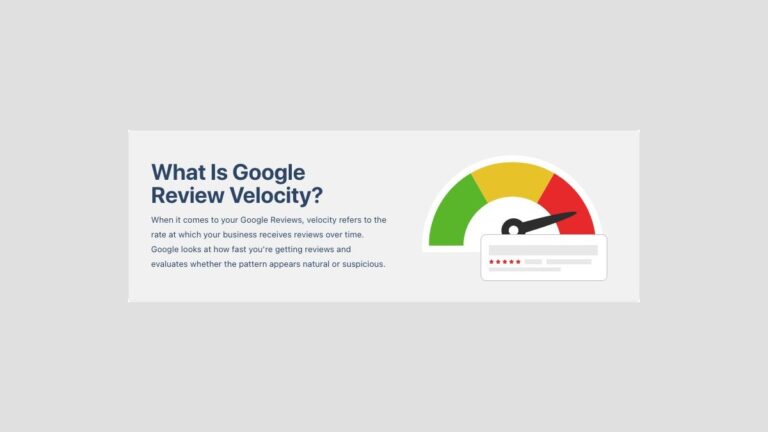
Pro Tip: Keep one approved review-request message in your CRM, point-of-sale system, or email tool. Consistent wording reduces accidental incentive language and keeps natural velocity over time.
If you’re in healthcare, legal, finance, cannabis, alcohol, firearms, or other regulated categories, be extra careful. Reviews that include sensitive personal details or restricted products can create avoidable policy risk.
Track reviews like evidence

You don’t need complicated software to protect your reputation data. A basic review log in Google Sheets, Excel, Airtable, or your CRM gives you a timeline when reviews disappear.
Track these fields:
- Date noticed.
- Reviewer display name.
- Star rating.
- Short text excerpt.
- Service or location involved.
- Screenshot filename.
- Google Maps listing URL.
- Whether it appears on Search, Maps, or the customer’s account.
- Support case ID.
- Current status: visible, missing, restored, removed, duplicate, or unresolved.
Review the log monthly. Compare the public review count with your saved screenshots and notifications. If you use reputation software such as Birdeye, Podium, Yext, or Reputation, still keep your own export because platform dashboards may not capture every Google-side change.
A reliable case history makes future appeals faster and helps you spot patterns, such as reviews disappearing after profile edits or after one employee sends too many requests at once.
Frequently Asked Questions
Why did my Google reviews disappear overnight?
The most common reasons are policy filtering, suspicious review patterns, duplicate listings, profile suspensions, merges, or indexing delays between Google Search and Google Maps. First, check multiple devices and surfaces. If the reviews are missing everywhere, document names, dates, ratings, screenshots, and profile changes before contacting Google Business Profile support.
Can I recover filtered Google reviews?
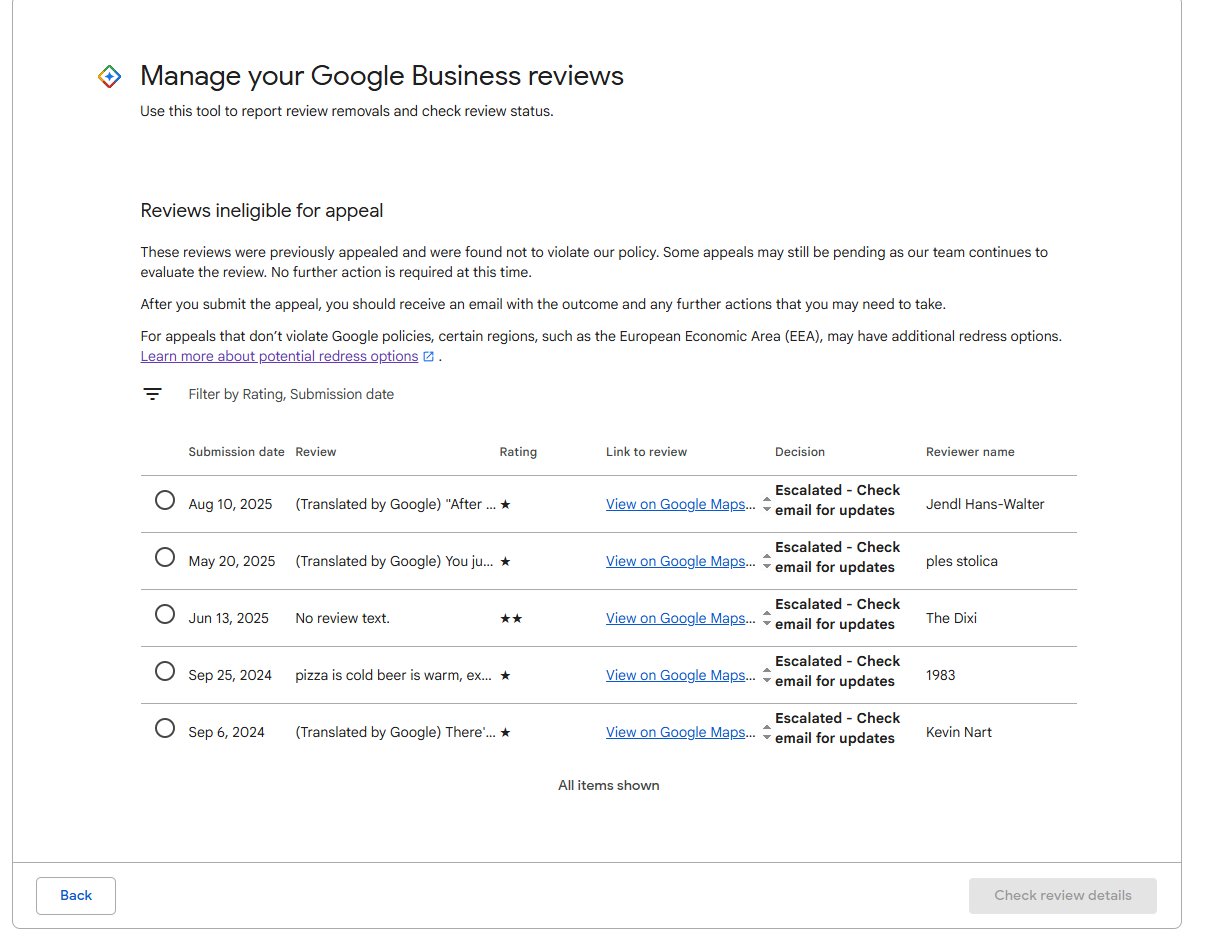
Sometimes. If the review was filtered by mistake, a clear appeal with customer evidence may help. If it violates policy, came from an employee, was incentivized, or looks like fake engagement, it probably won’t return. Focus on proving the review was from a real customer and tied to the correct profile.
How long do missing Google reviews take to return?
Simple visibility delays may resolve in 24 to 72 hours. Profile merges, reinstatements, and support reviews can take longer. There’s no fixed public timeline. While waiting, keep screenshots, avoid repeated tickets, and don’t ask customers to spam reposts, because that can create more review risk.
Can business owners delete Google reviews?
No, business owners can’t directly delete Google reviews from their profiles. They can flag reviews, report policy violations, and contact Google support. Google decides whether a review stays, is removed, or is reinstated. Owners can also respond publicly to legitimate negative reviews while a removal request is pending.
Should I ask customers to repost missing reviews?
Only if the original review is truly gone and the customer wants to share their honest experience again. Don’t provide a script, incentive, or requested star rating. If the review is still visible to the customer, ask them to check for links, personal details, or other policy triggers before editing.
Do missing reviews still affect my rating?
If a review is removed or filtered from the public profile, it usually won’t count in the visible rating. If it’s only delayed on one surface, the count and rating may look inconsistent for a while. Compare Google Search, Google Maps, and your Business Profile before assuming a rating drop is permanent.
Conclusion
Start by building a list of the missing reviews, checking Search and Maps separately, and ruling out duplicate profiles or recent suspensions. If the reviews look legitimate and policy-safe, submit one organized support request with screenshots and dates. Then tighten your review request process so future reviews arrive steadily, honestly, and with fewer filter signals.

WRITTEN BY
Ryan Thomas
Ryan Thomas writes about online review management, covering review monitoring, customer feedback, ratings, negative reviews, and reputation building. His practical insights help businesses manage reviews effectively, strengthen customer trust, improve their online reputation, and turn feedback into opportunities for long-term growth.
View all posts →