How to get 5 star google reviews starts with a reliable customer experience, followed by a polite request for an honest review. Give customers a direct Google review link, ask soon after the service, and never offer rewards or ask only happy customers for five stars.
Your results will change with customer satisfaction, the timing of your request, and how easy the review process is. Your business category and local rules also matter, so the advice below assumes you want genuine reviews without violating Google’s policies.
Google reviews: who needs this

This guide suits a local business owner, manager, or staff member who already has a verified Google Business Profile and wants a repeatable review process. You’ll need access to the profile, a way to contact customers, and a service that’s finished or clearly delivered.
SMM & Reputation Growth
Grow Your Brand Online — Faster
Boost your social media presence and build a stronger online reputation with SMMSEO24. Trusted by businesses across the US.
- Fast Delivery
- 24/7 Support
- Secure Checkout
A new business may need help getting its first reviews and setting up a direct link. An established business may instead need to improve a weak rating, respond to complaints, or train staff to ask at the right time.
This page serves businesses that want honest customer feedback, not guaranteed praise. It’s not for anyone buying reviews, using review farms, or offering money for a specific rating; those approaches can lead to removed reviews, customer distrust, or account problems.
The rest of the guide assumes your business can identify real customers and contact them lawfully. If you can’t do that, use an in-person request or ask a marketing professional to check your consent and messaging process.
What changes your review results
Customer experience matters most. A review request can remind a satisfied customer, but it can’t repair poor service. Check your recent complaints, refunds, repeat issues, and unanswered messages before increasing your requests.
Timing changes response rates. Ask after the customer receives the result they paid for, not before the work is complete. For a restaurant, that may be after the meal; for a contractor, it may be after the customer confirms the finished work.
The request must be easy. A direct link to your Google review form removes extra searching. Test the link in a private browser window, and make sure it opens the correct business profile rather than a search page or another location.
The wording affects trust. “Please leave an honest review” gives customers room to share their real experience. “Please give us five stars” may feel pressured and can encourage selective or misleading feedback.
The audience you contact matters. Ask real customers connected to the transaction, not a purchased list or people who never used your business. The mistake that usually causes the most damage is sending the same request to everyone without checking whether the service was actually completed.
Your star rating varies with customer expectations, service type, location, and the mix of people who choose to respond; your own position is visible in the latest review dates, star spread, and written comments on your profile.
Steps to request 5-star Google reviews
Use this process for each completed customer interaction. Keep the request short, neutral, and easy to complete.
-
Confirm the service is complete. Check the order, appointment, delivery, or project record before contacting the customer. The record should show a real transaction with your business.
-
Fix an obvious problem first. If the customer reported a missing item or unresolved issue, send that issue to the right staff member. Wait until you know whether the problem is resolved before asking for a review.
-
Create the review link. In your Google Business Profile, use the option for asking for reviews and copy the generated link. Open it yourself on a phone and computer; the correct page should show your business name and review controls.
-
Choose one contact channel. Use the channel the customer already agreed to receive, such as email, SMS, or a receipt message. Don’t send the same request through several channels at the same time.
-
Write a neutral request. Say, “Thanks for choosing us. Would you share an honest review of your experience on Google?” Add the direct link after that sentence.
-
Send one request after delivery. Contact the customer once after the completed service, using the timing that fits your business. The message has worked when the link opens correctly and the customer can review without extra searching.
-
Record the request. Mark the date and channel in your customer system without recording private review content. This helps you avoid repeated messages and shows which channel customers use.
-
Reply to the review. Thank the customer for useful feedback, and move complaints into a private support conversation without asking them to delete or change the review.
-
Review the pattern monthly. Compare new star ratings with written comments, refund records, and complaint themes. If the comments show the same problem, improve the service before sending more requests.
The key judgment is whether the customer has had enough time to judge the result. If the work is still being tested, delivered in stages, or under an open complaint, wait; if the promised result is complete, make the neutral request.
Stop before changing accounts, disputing removals, or handling a legal complaint if you’re unsure of the rule. Ask Google Business Profile support or a qualified attorney rather than trying to bypass a restriction.
Review timing and effort
The best approach depends on what the customer has received and how much follow-up your team can manage. Use the case that matches the transaction, not the one that sends the most messages.
| Customer situation | What to do | What it takes | What to watch for |
|---|---|---|---|
| One-time completed service | Ask after completion | One short message | Unresolved complaints |
| Retail purchase | Ask after delivery | Direct review link | Shipping delays |
| Restaurant visit | Ask after the visit | Receipt or message | Asking before payment |
| Ongoing project | Ask after milestone | Staff follow-up | Work still unfinished |
| Repeat customer | Ask after a clear result | Occasional request | Repeated reminders |
| Negative experience | Resolve issue first | Service recovery time | Never pressure for edits |
Details that improve review quality

Prepare before asking
Keep customer records accurate and remove duplicate contacts before sending a request. A wrong name, broken link, or message about the wrong service makes the request look automated and can cost you a genuine response.
Use one plain message for the whole business, then adjust only the service detail. For example, mention “your dental cleaning” or “your repaired laptop” rather than adding a long sales message.
Google’s published policies prohibit fake engagement and incentives tied to reviews. Read Google Maps user-contributed content policy before offering discounts, gifts, contest entries, or other benefits connected with posting feedback.
Check the review process
A good process checks the customer’s experience without steering the rating.
Leave the review text to the customer. Don’t write a review for them, provide a script that claims facts they may not agree with, or ask them to remove a truthful negative comment.
The trade-off is clear: selective requests may create a higher short-term rating, but neutral requests give you more trustworthy feedback and a lower risk of policy trouble. If a customer asks what to write, tell them to describe the service in their own words.
Google review problems and fixes
A review problem usually points to either a broken process, an unresolved service issue, or a policy concern. Match the visible sign to the first safe action instead of sending more requests.
| What you notice | What it usually means | What to do first | How to stop it happening again |
|---|---|---|---|
| Few reviews arrive | Request is hard to find | Test the review link | Use one direct link |
| Customers mention pressure | Wording asks for five stars | Rewrite the message | Request honest feedback |
| Reviews disappear | Content may breach policy | Check Google rules | Avoid incentives and duplicates |
| Wrong business opens | Link points elsewhere | Generate a new link | Test every location link |
| Complaints repeat | Service issue remains | Assign one owner | Track themes monthly |
| Staff send duplicates | Requests aren’t recorded | Add a request status | Set one contact rule |
Rules for requesting reviews
Google allows businesses to ask customers for reviews, but the content must reflect a real experience. Fake reviews, paid reviews, incentives tied to reviews, and attempts to manipulate ratings can violate Google’s user-contributed content rules.
Don’t ask a customer to include certain words, mention a staff member inaccurately, or post from several accounts. Don’t threaten a customer over a negative review, and don’t offer a reward only for positive feedback.
Rules outside Google can also apply. In the United States, the Federal Trade Commission’s endorsement rules may affect testimonials, incentives, and disclosures; check the FTC’s current business guidance for your situation.
Your country, state, industry, and messaging channel may add privacy or marketing requirements. If a request involves sensitive health information, financial data, children, or regulated services, stop and ask the relevant regulator or a qualified attorney before sending it.
What review requests really cost
The direct cost can be close to zero if your team uses Google’s link and an existing email or text system. The real cost is staff time, record keeping, complaint handling, and the risk of damaging trust with a poorly worded request.
A short request takes less effort than a personal follow-up, but it may produce less useful detail. A personal message can feel more relevant, while a large campaign is easier to repeat but more likely to contain wrong names or duplicate contacts.
Compare the cost of your messaging tool, staff time per completed transaction, and time spent answering complaints. Then compare those costs with the value of finding repeated service problems; a lower rating can reveal an issue before it creates refunds or lost customers.
Never pay for a guaranteed five-star result.
Keep your review process accurate
Save the current Google review link in your customer service template, but test it whenever you add a location or change your profile. The sign of a working link is that it opens the intended business and lets the customer start a review without searching.
Keep a simple record of the customer, completed service, contact date, and channel. Don’t copy private review text into a marketing spreadsheet unless you have a clear business reason and lawful permission.
If your profile changes name, address, phone number, or location, check the link and staff templates again. If a review is missing, first check whether it violates Google’s content rules; don’t ask the customer to repost repeatedly or create another account.
When review requests are the wrong choice

Review requests aren’t the right first move when the customer has an unresolved complaint. Use your normal support or service-recovery process, then ask for feedback only after the promised service is complete.
They’re also wrong when you can’t confirm a real transaction or lawful contact permission. Improve your records first, or use an in-person request at the point of service.
Avoid this approach if a vendor wants to post reviews for customers, hide negative feedback, or give rewards only for five-star ratings. Choose a transparent feedback system instead, and ask Google Business Profile support or legal counsel if you’re unsure where the policy line is.
Frequently asked questions
Can I ask customers for five-star Google reviews?
No. Ask for an honest review instead of requesting a specific rating. A five-star request can pressure customers and may support selective review collection. You can explain where the review form is, but the customer should choose the rating and words without a reward or promised benefit.
Why are my Google reviews not increasing?
The usual causes are an unresolved customer problem, a broken review link, poor timing, or a message that feels promotional. Test the link, check completed transactions, read recent complaints, and compare the channel you use with the channel customers actually check.
How long should I wait before asking for a review?
Ask after the customer can judge the completed result, which may be immediately after a meal or after delivery for a shipped order. For ongoing work, wait until a clear milestone is complete. Don’t ask while a complaint or service failure remains open.
Is it safe to send a Google review link by text?
Yes, if the customer agreed to receive that type of message and your wording follows applicable marketing and privacy rules. Send one neutral request through the approved channel. Don’t buy contact lists or continue messaging someone who has opted out.
What happens if I pay for Google reviews?
Paid or incentivized reviews can be removed and may create policy, advertising, or consumer-protection problems. The risk is higher when the reviewer never used your business or the payment requires a positive rating. Use genuine customer requests instead.
Does it matter if I reply to every review?
Yes, replies show that your business monitors customer feedback, but they don’t replace service recovery. Keep replies brief and specific, avoid private details, and move sensitive complaints to a private channel without asking the customer to change the rating.
How many Google reviews should I ask for each week?
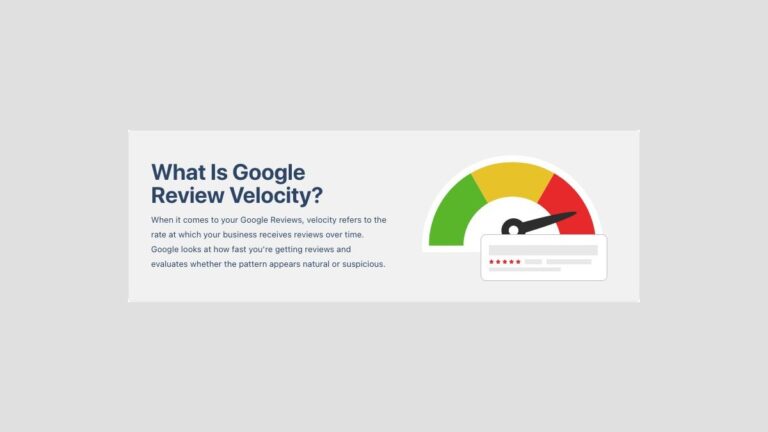
There’s no universal weekly number that fits every business. Ask real customers after completed transactions, and use your normal customer volume as the limit. A sudden burst from unrelated accounts or repeated requests to the same person can look unnatural.
Start your Google review process
First, confirm a completed customer interaction, fix any open problem, and test your direct review link before sending one neutral request. You should see genuine feedback tied to real transactions, while repeated complaints show where service needs work. Stop and get help if a vendor offers guaranteed ratings or asks you to bypass Google’s rules.

WRITTEN BY
Ryan Thomas
Ryan Thomas writes about online review management, covering review monitoring, customer feedback, ratings, negative reviews, and reputation building. His practical insights help businesses manage reviews effectively, strengthen customer trust, improve their online reputation, and turn feedback into opportunities for long-term growth.
View all posts →