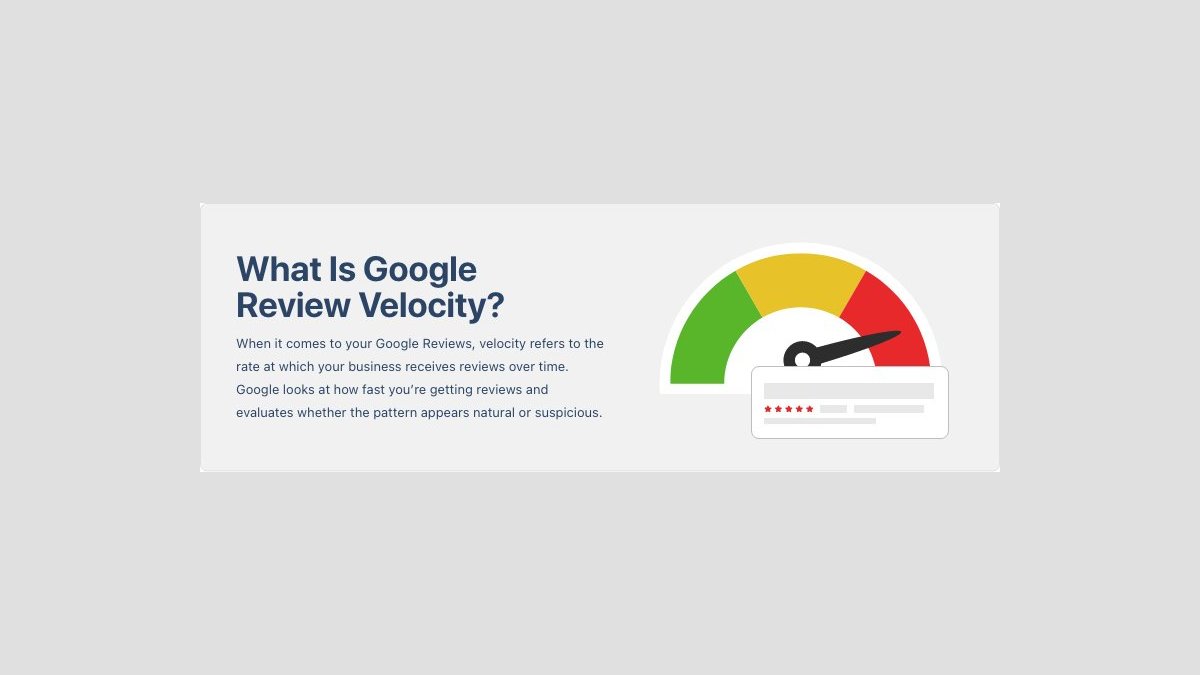
Review velocity is how quickly a business receives new Google reviews. There’s no published “safe” number of reviews per day, and a sudden burst isn’t automatically a violation. Fast reviews become risky when they look manufactured, incentivized, repetitive, or disconnected from real customer activity.
Key Takeaways

- No magic number: Google hasn’t published a universal daily or weekly review limit for every business.
- Natural variation matters: A busy opening, promotion, event, or product launch can legitimately produce more reviews than usual.
- Ask everyone: Invite all genuine customers, not only people you expect to be happy.
- Avoid incentives: Discounts, gifts, refunds, or contest entries in exchange for reviews can create policy and legal problems.
- Track context: Compare review volume with completed transactions, appointments, service dates, and seasonal demand.
- Respond calmly: If reviews disappear or your profile is restricted, preserve records and contact Google through its official support channels rather than buying replacement reviews.
What Google Review Velocity Means
Review velocity is a measurement of review acquisition over time. A simple version is:
New reviews during a period ÷ number of days in that period = average reviews per day
SMM & Reputation GrowthGrow Your Brand Online — Faster
Boost your social media presence and build a stronger online reputation with SMMSEO24. Trusted by businesses across the US.
- Fast Delivery
- 24/7 Support
- Secure Checkout
Google can evaluate more than the visible total. A review system may look at:
- Timing patterns: Many reviews appearing within minutes or hours
- Language patterns: Repeated phrases, identical sentence structures, or unusual keyword stuffing
- Reviewer behavior: Accounts that review many unrelated businesses in a short period
- Location signals: Reviews from places unrelated to the business or customer activity
- Account history: New or low-activity accounts posting unusually similar reviews
- Business context: Review volume that doesn’t resemble the company’s actual customer flow
A high velocity is therefore a risk signal, not proof of manipulation.
A useful calculation
Use several time windows instead of one headline figure:
| Measurement | Formula | What it reveals |
|---|---|---|
| Daily rate | New reviews ÷ days | Short-term spikes |
| Monthly rate | New reviews in 30 days | Current acquisition pace |
| Conversion rate | Reviewers ÷ completed requests | Request effectiveness |
| Review share | New reviews ÷ customer transactions | Whether volume fits demand |
| Trend change | Current rate compared with prior period | Sudden acceleration or decline |
A clean baseline uses at least three to six months of history. Record review dates, completed jobs, customer requests, seasonality, and marketing events.
Why Fast Reviews Happen
Legitimate spikes are common. Review velocity can rise because customers have a stronger reason to talk about the business or because your request process finally became easy.
- A new location: Grand openings often create concentrated customer activity.
- A major event: Weddings, conferences, festivals, and sports tournaments can generate many transactions at once.
- A seasonal rush: Tax preparation, landscaping, HVAC repair, holiday retail, and back-to-school services naturally fluctuate.
- A completed project: Roofing, remodeling, dental treatment, and legal matters may produce reviews after a milestone.
- A service improvement: Shorter wait times, expanded hours, or a new booking process can increase customer satisfaction and response rates.
- A reminder campaign: Customers who were previously busy may respond when you send one clear, timely request.
- A platform change: A QR code, receipt link, email button, or text-message workflow may remove friction.
- A backlog: Customers who received poor follow-up in the past may submit reviews after a business reconnects with them.
Velocity can also accelerate for questionable reasons:
- Paid reviewers: People are compensated to write reviews without genuine customer experience.
- Selective requests: Only highly satisfied customers receive an invitation.
- Review gating: Unhappy customers are diverted to a private form while happy customers are sent to Google.
- Bulk automation: A software system sends identical requests to a large old customer list at once.
- Incentive campaigns: Customers receive a coupon, entry, or gift for leaving a review.
- Staff or owner reviews: Employees, relatives, vendors, or agencies post as if they were customers.
The key question is not “Did reviews arrive quickly?” It is “Can every review be connected to a real customer interaction and a neutral request process?”
How Fast Is Too Fast?
There’s no reliable universal threshold such as five reviews per day, 20 per week, or 100 per month. Business context determines whether a burst makes sense. A hotel that checks in 300 guests daily may naturally receive more reviews than a solo plumber completing 20 jobs monthly.
| Pattern | Typical interpretation | Recommended action |
|---|---|---|
| One to three reviews spread across several weeks | Usually ordinary for a small business | Continue a neutral request process |
| A modest increase after a launch or event | Often explainable | Save event dates and transaction records |
| Dozens of reviews in hours from unrelated accounts | Higher risk pattern | Audit sources and stop any questionable campaign |
| Identical wording across many reviews | Strong quality concern | Review customer authenticity and request templates |
| Reviews arriving after an incentive offer | Compliance concern | End the offer and document the campaign |
| Large burst from an old customer list | Possible automation artifact | Slow requests and segment only by real service date |
These aren’t Google thresholds.
Velocity versus volume
Volume is the total number of reviews. Velocity is the rate of new reviews.
- High volume and low current velocity
- Low volume and high current velocity
- High volume and high velocity
- Low volume and low velocity
For local visibility, recent reviews can help shoppers understand current service quality, but review count alone doesn’t guarantee higher rankings.
Build A Compliant Review Flow

A dependable process makes review requests available to genuine customers without controlling their opinion. The workflow should be simple for staff and auditable later.
1. Define the eligible customer
Write down what counts as a real interaction:
- A completed purchase at the business
- A delivered order
- A finished appointment
- A completed repair or installation
- A stay that has ended
- A consultation that actually occurred
Don’t treat people without a genuine transaction or service as customers.
2. Send one neutral invitation
A good request asks for an honest review and links to the correct Google Business Profile. It doesn’t tell customers what rating to choose.
Example:
Thanks for visiting [Business Name]. If you have a moment, we’d appreciate an honest review of your experience on Google. Your feedback helps us improve and helps future customers make informed decisions.
3. Control frequency
Use a request schedule that reflects the customer relationship:
| Business type | Practical timing | Sensible follow-up |
|---|---|---|
| Coffee shop or retail store | After purchase, receipt, or loyalty interaction | One reminder within several days |
| Restaurant | After the visit, when the meal is complete | One reminder if appropriate |
| Dentist or medical office | After the appointment or treatment milestone | One neutral request |
| Contractor | After the project is completed and settled | One request, then optional reminder |
| Hotel | After checkout | One request shortly after departure |
| Subscription service | After a meaningful usage period | Request after the first completed cycle |
Don’t repeatedly message customers who ignore a request.
4. Include every eligible customer
A neutral sample doesn’t have to mean every customer receives the exact same message at the exact same second. It does mean the selection rule shouldn’t depend on expected sentiment.
Acceptable selection rules may include:
- Every completed order during a date range
- Every appointment closed in the scheduling system
- Every hotel stay with a recorded checkout
- A rotating, documented sample of completed transactions
Risky selection rules include:
- Only customers who clicked “satisfied”
- Only people who complimented an employee
- Only customers personally chosen by the manager
- Only people who agreed to receive a reward
Ask At The Right Moment
Timing affects response rate and authenticity. Ask when the customer has enough experience to evaluate the service, but while the interaction is still fresh.
Strong timing examples
- Restaurants: After the meal and payment, not before the food arrives
- Retail: After delivery or product use, not immediately after an online click
- Home services: After the work is complete and the customer has inspected it
- Dental care: After a completed visit or treatment stage, not before treatment
- Hotels: After checkout, when the full stay can be assessed
- Professional services: After a defined deliverable or milestone
A request sent too early may produce vague feedback.
Keep the message specific
Mentioning the interaction helps customers recognize the request:
Thank you for choosing us for your furnace repair on Tuesday. Please review the service on Google: [review link].
Pro Tip: Keep a request log containing the transaction ID, service date, delivery channel, message version, and send date. It identifies campaign spikes or technical mistakes.
Use Channels Without Pressure
A review request can be delivered through several normal customer-contact channels. The channel matters less than the eligibility rule, wording, timing, and frequency.
| Channel | Best use | Main risk | Safeguard |
|---|---|---|---|
| Receipts, completed orders, appointments | Old lists sent in bulk | Filter by recent completed service | |
| SMS | Time-sensitive local services | Excessive reminders | Obtain appropriate permission and limit follow-ups |
| Receipt or invoice | Retail and in-person transactions | Generic request at every checkout | Keep it optional and neutral |
| QR code | Storefront, packaging, or thank-you card | Customer may not know what it opens | Label it clearly as an honest Google review link |
| Website follow-up | Completed bookings or orders | Review gating based on a rating question | Send the same public option to everyone |
| In-person request | Personal services and hospitality | Staff pressure at checkout | Use a short, non-repeated invitation |
Your public link should take the customer directly to the review interface when possible.
Avoid review gating
Review gating asks customers how they feel privately and sends only happy customers to Google. For example, a business might route “satisfied” people to a public review page while sending “unsatisfied” people to an internal complaint form. That process distorts the review population.
We welcome honest feedback. If you need help resolving an issue, contact our team here as well.
Measure Velocity Correctly
A review dashboard should combine rate, authenticity, and context. Averages alone can hide a sudden burst or make normal seasonality look suspicious.
Track these fields monthly:
- Number of completed transactions
- Number of review requests sent
- Number of new Google reviews
- Date and time of each review
- Review rating and text patterns
- Customer service dates
- Campaign, event, or seasonal notes
- Reviews removed or filtered, if visible
- Staff member or system that sent the request
A basic spreadsheet is sufficient. Use separate tabs for transactions, requests, reviews, and incidents.
Calculate request conversion
If you sent 500 neutral requests and received 25 reviews, the response rate is 5%.
Look for changes such as:
- More requests, same reviews: Your message or link may be weak.
- Same requests, more reviews: Timing or customer experience may have improved.
- Many reviews, low transaction count: Check eligibility and automation.
- Large rating change: Investigate whether the request audience changed.
- Reviews without matching records: Preserve evidence and audit authenticity.
Document legitimate spikes
Keep supporting records for events that explain fast reviews:
- Grand-opening date
- New-location announcement
- Completed event or contract
- Seasonal service period
- Number of appointments completed
- Date a new receipt or CRM workflow launched
- Vendor or software configuration changes
This documentation doesn’t guarantee that Google will retain every review.
Troubleshoot Sudden Spikes
When review velocity changes abruptly, don’t panic and don’t immediately purchase more reviews. Start with a technical and operational audit.
| Symptom | Likely cause | First check | Corrective step |
|---|---|---|---|
| Reviews arrive within minutes | Bulk automation or campaign | CRM send log | Pause the workflow and segment by service date |
| Similar wording appears repeatedly | Template coaching or copied text | Review language | Stop suggested wording and request honest feedback |
| Reviews come from unfamiliar locations | Inauthentic accounts or mistaken listing | Customer records | Report only reviews you can identify as violating policy |
| Reviews disappear after a burst | Filtering, moderation, or account issue | Review history and notifications | Preserve records and use official support |
| Rating improves unusually fast | Selective requests or incentives | Audience rules | Send requests to all eligible customers |
| Review count rises without more transactions | Old database campaign | Import and send dates | Stop the campaign and rebuild eligibility filters |
Check the source system
Inspect:
- CRM automation rules
- Email audience filters
- SMS integrations
- Receipt-printer settings
- QR-code destination
- Review-management software
- Agency activity logs
- Employee-created links or scripts
A common error is sending a new request to every historical customer after importing a database.
If reviews are removed
Save screenshots, URLs, dates, transaction records, and the original request wording. Review Google’s stated content policies and submit a factual support request if the reviews were genuine.
If a review clearly violates Google’s rules, use the platform’s reporting process. A harsh but genuine review is different from spam.
Protect Long-Term Trust

Authenticity beats acceleration. Fast reviews can improve the freshness of a profile, but a forced campaign can create larger problems: removed reviews, customer distrust, staff confusion, or regulatory exposure.
The Federal Trade Commission’s Consumer Reviews and Testimonials Rule addresses fake reviews, suppression, and incentives.
- No paid praise: Never buy reviews or pay people who haven’t used the business.
- No rating condition: Don’t offer a reward only for five-star or positive feedback.
- No employee reviews: Keep staff, owners, agencies, vendors, and relatives out of customer-review activity.
- No copywriting: Don’t provide a script customers must reproduce.
- No suppression: Let unhappy customers access the same public review opportunity.
- No retaliation: Don’t threaten, shame, or harass customers for criticism.
- No account creation: Never create Google accounts for customers.
- No review swaps: Don’t trade reviews with other businesses.
- No identity concealment: Don’t post reviews through undisclosed representatives.
Respond to genuine feedback
A fast review strategy is incomplete without a response strategy. Reply to positive reviews with specific appreciation, and respond to negative reviews without revealing private details.
A useful negative-review response has three parts:
- Acknowledge the concern without arguing.
- State that you want to investigate.
- Offer a private contact route, without asking the customer to delete the review.
For example:
Don’t publish customer names, medical details, order numbers, or private conversations in a public response.
Frequently Asked Questions
Is fast review velocity bad for SEO?
Not automatically. Google hasn’t published a universal review-per-day limit, and legitimate events can produce sudden increases. The risk comes from suspicious patterns such as fake accounts, duplicate wording, incentives, review gating, or reviews unrelated to real transactions. Treat velocity as a diagnostic signal, not a ranking target.
How many Google reviews can I ask for per day?
There’s no dependable universal number for every business. Ask genuine customers through a neutral process, using a volume that matches completed transactions and normal operations. Avoid sending a large batch to an old database, targeting only happy customers, or repeatedly contacting people who don’t respond.
Can I offer a discount for a Google review?
Don’t condition a discount, gift, contest entry, refund, or other benefit on leaving a review or expressing a particular sentiment. Incentives can create biased feedback and may conflict with platform rules and consumer-protection requirements. If you run any customer-feedback incentive, obtain professional compliance advice first.
Why did Google remove my new reviews?
Reviews may be filtered or removed because of spam signals, policy violations, account activity, technical issues, duplicate submissions, or listing problems. Removal doesn’t prove every review was fake. Preserve transaction records and request details, audit your process, and use Google’s official support and reporting channels.
Should I ask customers to mention keywords?
No. Ask for an honest account of the customer’s experience instead. Prompting phrases such as “best dentist in Austin” can produce repetitive or artificial wording. Customers may naturally mention products, services, or locations, but the language should come from them rather than from a business script.
Is review gating allowed?
Review gating is risky and can violate Google’s policies because it selectively routes satisfied customers to the public review page while diverting dissatisfied customers elsewhere. You may offer support to every customer, but don’t block unhappy customers from seeing the same honest-review option offered to everyone.
Conclusion
Start by exporting the last three to six months of transactions, requests, and reviews. Calculate your actual weekly pattern, identify any bursts that lack a business explanation, and replace selective or incentivized requests with one neutral invitation sent to every eligible customer.

WRITTEN BY
Ryan Thomas
Ryan Thomas writes about online review management, covering review monitoring, customer feedback, ratings, negative reviews, and reputation building. His practical insights help businesses manage reviews effectively, strengthen customer trust, improve their online reputation, and turn feedback into opportunities for long-term growth.
View all posts →