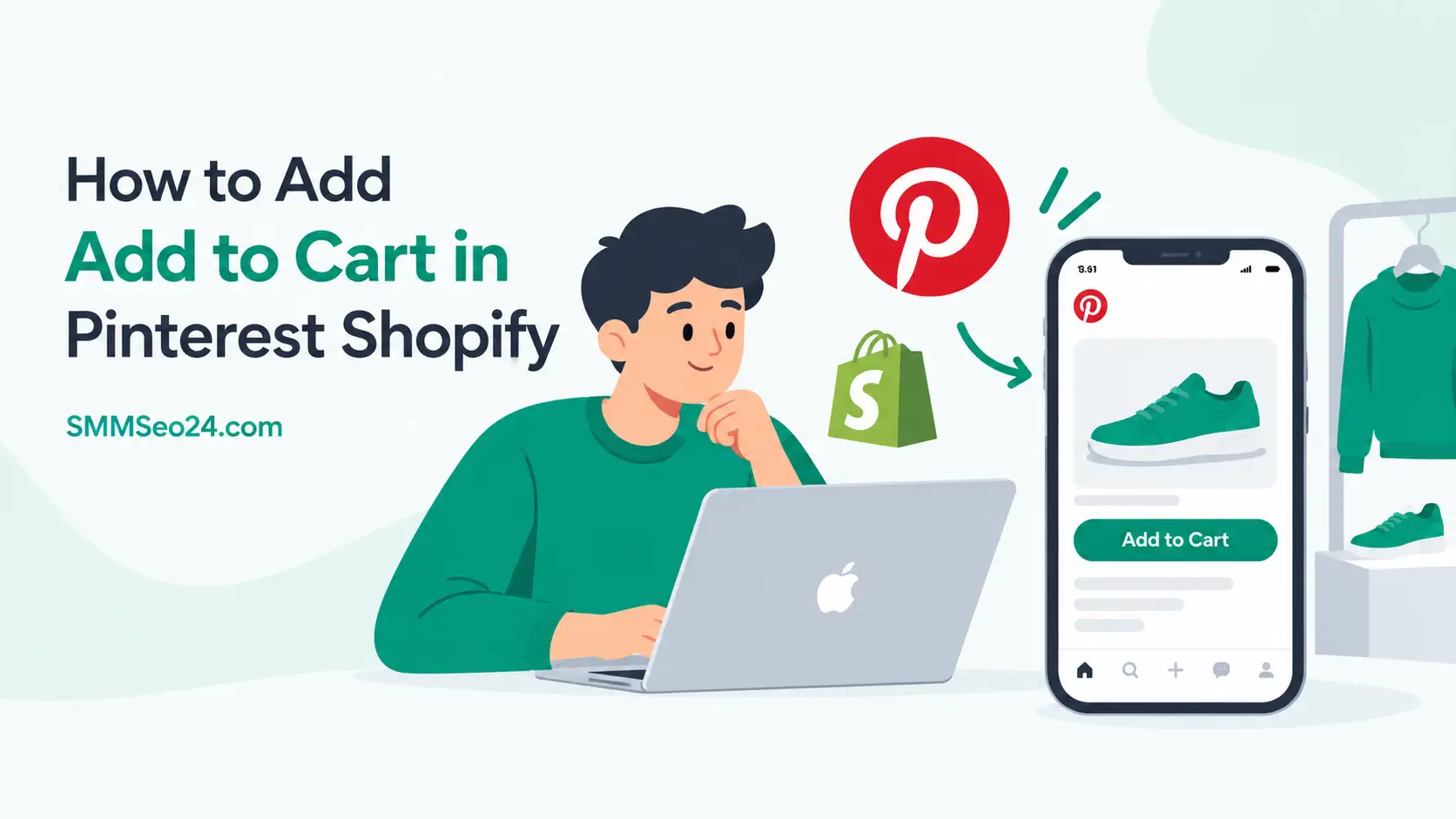
You add a cart button on Pinterest by turning your Shopify catalog into Product Pins through the Pinterest sales channel. That’s how to add add to cart in pinterest shopify without touching any code or paying for ads. The tag appears automatically when your store syncs correctly and your catalog passes review.
SMM & Reputation Growth
Grow Your Brand Online — Faster
Boost your social media presence and build a stronger online reputation with SMMSEO24. Trusted by businesses across the US.
- Fast Delivery
- 24/7 Support
- Secure Checkout
Three things change how fast that button shows up: whether you’ve claimed your domain, if your product feed is approved, and which country your business operates in. Each one controls a different part of the process.
Who needs a Pinterest cart button on Shopify

A store owner selling physical goods wants shoppers to buy straight from a Pin. They already have products listed on Shopify and need the Pinterest sales channel connected so every item becomes a shoppable Product Pin. This page serves them directly.
A dropshipper using a third-party supplier also uses Shopify but might face longer feed approval times because their product data comes from outside their own warehouse. They’ll follow the same steps but should expect extra checks on shipping details.
Someone running a service business or selling digital downloads won’t get a cart button here. Pinterest’s shopping features require physical products with real shipping options. If that’s your model, you’ll need standard Pins linking to your checkout page instead.
This guide assumes you’re on a paid Shopify plan with at least one physical product ready to sell. It doesn’t cover advertising budgets or promoted Pins — just the free organic setup that puts a checkout link on your catalog items.
What controls your Pinterest shopping approval
Your domain claim decides whether Pinterest trusts your store. Without it, your catalog stays stuck in review. You claim it inside the Pinterest sales channel app under Settings > Claimed Accounts. If the button says “Claim,” click it and wait 24 hours for verification.
Your product feed quality determines if individual items get the shopping tag. Pinterest rejects images that don’t meet its minimum size requirements or titles stuffed with keywords. Check your feed status in Shopify under Apps > Pinterest > Catalog. Items marked “Not approved” tell you exactly which field failed.
Your business location controls which checkout method you actually get. US merchants can enable native checkout; everyone else sends buyers to their Shopify store. Look up your region’s availability on Pinterest’s shopping requirements page before you start configuring anything.
The thing people get wrong most often is assuming connecting the app finishes the job. Connecting only creates the feed. Approval takes separate manual review by Pinterest, usually 3 to 7 days after your first sync completes. Don’t change product prices during that window.
If your feed shows zero items after syncing, your Shopify collections are empty or filtered out. Go to Products > Collections and make sure at least one collection has items assigned to it, then resync.
How to connect your Shopify catalog to Pinterest
The whole setup lives inside one official Shopify app. You don’t need to upload spreadsheets or write HTML tags manually. Follow these steps in order, checking each result before moving forward.
- Open your Shopify admin, go to Apps, search “Pinterest,” and install the official Pinterest Commerce Platform app built by Pinterest.
- Click Connect account and log into the Pinterest business profile where you want your products to appear.
- Grant the requested permissions so Shopify can push product data, pricing, and stock levels to your Pinterest catalog automatically.
- Inside the app dashboard, find Claim your website and click it. Wait until the status changes from pending to verified.
- Navigate to the Catalog tab and click Sync products. This pushes your active Shopify items to Pinterest as Product Pins.
- Check the sync report for errors. Fix any missing descriptions or low-resolution images in Shopify, then run the sync again.
- Turn on Shopping tags in the app settings. This tells Pinterest to display the price and checkout link on approved Pins.
- Publish at least one Pin using an approved product image to test if the shopping tag appears publicly on your profile.
The judgment call happens at step six. A feed with many rejected items still syncs approved products, but a high rejection rate can limit your catalog’s performance. If more than half your catalog fails approval, pause publishing and fix the data first. Pushing a broken feed wastes your review period.
If your products require special safety certifications to sell online, consult your local consumer protection agency before listing them on any social platform.
Situations that change your setup path
Different store setups need slightly different actions after the basic connection. Here’s what changes depending on your specific situation.
| Your situation | What to do differently | Extra time needed | Watch out for |
|---|---|---|---|
| Multiple Shopify stores | Connect each to a separate Pinterest board | Add 2 days per store | Duplicate product conflicts |
| Digital downloads only | Shopping tags won’t work; use link Pins | None | Wasted setup effort |
| Custom handmade items | Add production time in shipping settings | 1 hour | Late delivery complaints |
| Wholesale priced catalog | Hide wholesale variants from the feed | 30 minutes | Wrong price showing |
| International shipping | Set currency rules in Pinterest settings | 2 hours | Conversion rate mismatch |
| Using a third-party supplier | Verify shipping origin matches your address | 1 day | Feed rejection for mismatch |
Each row represents a real fork in the road. Pick the one matching your store, adjust your timeline, and check the warning column before you publish. Ignoring the watch-out column costs you another full review cycle.
Details that keep your Pinterest shopping tags working

Feed sync timing matters more than you think
Shopify pushes catalog updates to Pinterest every 24 hours by default. If you change a price or run out of stock, the old number stays live on your Pin until the next scheduled sync runs. Edit your inventory early in the morning so the update catches the daily push.
Don’t delete products from Shopify while they’re pinned heavily. Pinterest turns those links into dead ends, which hurts your account’s trust score. Mark them as sold out instead so the Pin stays up with accurate availability.
Image size controls whether the tag appears
Pinterest requires product images to meet its minimum resolution standards for shopping eligibility. Check your main image dimensions in Shopify’s media section before syncing.
Avoid heavy text overlays on your product images. Pinterest’s automated review flags heavy text as promotional spam rather than a retail product. Keep your main photo clean and put details in the description field instead.
When your Pinterest shopping tags fail
Problems show up in specific ways. Match what you see to the right fix.
| What you notice | What it usually means | What to do first | How to stop it happening again |
|---|---|---|---|
| No shopping tag on Pins | Feed isn’t fully approved yet | Check catalog status in app | Wait for Pinterest email confirmation |
| Wrong price showing | Sync hasn’t updated since change | Force manual resync in settings | Edit prices before daily sync runs |
| Products missing from catalog | Collection filters hiding items | Review active collections list | Assign all products to synced collection |
| Tag disappears after days | Item went out of stock | Restock or mark as available | Keep inventory counts accurate daily |
| Account suspended suddenly | Policy violation detected | Read Pinterest merchant guidelines | Remove restricted categories from feed |
| Images look blurry on mobile | Uploaded below minimum resolution | Replace with higher-resolution files that meet Pinterest’s requirements | Set image templates to correct size |
Read the error message in your Shopify Pinterest app before guessing. It points to the exact product and field causing trouble.
Rules that control Pinterest shopping features
Pinterest requires a verified business account to access shopping tools. Personal profiles can’t host product catalogs. Convert your profile inside Pinterest’s settings before installing the Shopify app.
Merchants must comply with Pinterest’s Merchant Guidelines, which ban certain categories entirely. Weapons, adult products, healthcare services, and financial products don’t qualify for shopping tags regardless of your local laws. Check the prohibited list on Pinterest’s help center before building your feed.
Data privacy rules apply too. If you operate in Europe, your Pinterest tracking tag must respect GDPR consent requirements. Shopify’s Pinterest app includes cookie consent options, but you need to activate them yourself in the app’s tracking settings.
In the US, the Federal Trade Commission requires clear disclosure when content is commercial. Product Pins count as commercial speech, so your descriptions must accurately represent the item without misleading claims about results or materials.
If your products fall under regulated categories like cosmetics or children’s toys, ensure your Shopify listings meet the safety standards set by the relevant authority in your country before pushing them to Pinterest. A rejected catalog is easier to fix than a compliance penalty.
What this setup actually costs you
Connecting Shopify to Pinterest for shopping tags is free. Neither platform charges a fee to sync your catalog or display product Pins organically. You only pay if you decide to boost those Pins as advertisements later.
The real cost is time. Initial setup takes 1 to 2 hours if your product images and descriptions are already polished. If you need to re-shoot photos or rewrite titles to meet Pinterest’s quality standards, add another 3 to 5 hours depending on your catalog size.
There’s a trade-off between speed and quality. Rushing the feed with low-resolution images gets you rejected, forcing a second review cycle that adds 5 to 7 days. Spending an extra hour fixing images upfront saves a week of waiting.
Ongoing maintenance costs about 15 minutes a week. You’ll check sync errors, update out-of-stock items, and verify new products carry the right tags. Skip this and your Pins slowly turn into broken links that hurt your account standing.
If you hire someone to manage the feed, rates depend entirely on your catalog size and location. Compare freelancers based on their experience with both Shopify’s backend and Pinterest’s specific image rules, not just general social media skills.
Keeping your Pinterest catalog accurate over time
Once your shopping tags are live, the work shifts to maintenance. Pinterest pulls data from Shopify automatically, but it doesn’t fix mistakes you make at the source.
Check your catalog health inside the Shopify Pinterest app once a week. Look for items flagged as “Pending” or “Rejected.” Fix the specific field mentioned — usually a missing GTIN barcode or a broken image link — then trigger a manual resync.
When you add new products to Shopify, they won’t appear on Pinterest instantly. The automatic feed runs daily. If you need a new item live immediately, use the manual sync button in the app rather than waiting for the scheduled update.
Watch your stock levels closely. Selling out on Shopify removes the shopping tag on Pinterest within 24 hours. If you restock quickly, the tag returns after the next sync. Don’t let popular items sit at zero inventory for weeks, or Pinterest stops prioritizing them in search.
If your product prices change frequently due to promotions, schedule those edits right after the daily sync completes. This gives you the full 24-hour window before the next push carries the new numbers to your live Pins.
When you shouldn’t use Pinterest shopping tags

If you sell custom-made items requiring long consultations before purchase, shopping tags create the wrong expectation. Buyers clicking “Add to Cart” expect instant checkout, not a three-week design process. Use standard Pins linking to an inquiry form instead.
Stores with fewer than ten products often waste time on catalog setup. Pinterest’s algorithm favors accounts that publish consistently across many boards. If your catalog is tiny, focus on creating rich idea Pins that drive traffic to your main collection page rather than individual product tags.
Businesses operating exclusively in countries where Pinterest Checkout isn’t supported and where local buyers distrust external links will see low conversion. Check Pinterest’s current market availability before investing hours in feed optimization. If your target audience isn’t there, your effort belongs on another platform.
If your products require age verification or prescription approval before sale, Pinterest’s shopping tools can’t handle that gatekeeping. You’ll need to direct users to your own compliant storefront using regular link Pins instead of trying to force a cart button onto restricted items.
Frequently asked questions
Can I add a cart button without the Shopify app?
No, you can’t. Pinterest requires a verified product feed to generate shopping tags. The Shopify Pinterest app is the only supported way to build and sync that feed automatically from your store without writing custom API code.
Why aren’t my shopping tags showing up yet?
Approval takes 3 to 7 days after your first successful sync. If it’s been longer, check your catalog tab for rejected items. Fix any flagged errors and resync. Tags only appear on fully approved products.
How long does the initial catalog sync take?
The first sync usually finishes within 1 to 2 hours for stores under 500 products. Larger catalogs may take up to 24 hours. You’ll see items populate gradually in the Pinterest app’s catalog section.
Is it safe to connect my Shopify store to Pinterest?
Yes, it’s safe when using the official Pinterest Commerce Platform app listed in the Shopify App Store. It uses secure OAuth authentication, meaning you never share your actual password with either platform during the connection process.
What happens if a product goes out of stock?
Pinterest automatically hides the shopping tag within 24 hours of the Shopify inventory hitting zero. The Pin itself stays visible, but buyers can’t click through to purchase until you restock and the next sync runs.
Does this work for digital products or services?
No, it doesn’t. Pinterest shopping tags require physical products with defined shipping options. Digital downloads, subscriptions, and consulting services will sync to the catalog but won’t receive the checkout button or shopping tag.
How often does Shopify update Pinterest prices?
Prices update once every 24 hours during the automatic daily sync. If you change a price mid-day, the old amount stays live on Pinterest until the next scheduled push. Use manual sync for urgent corrections.
Do I need a business account on Pinterest?
Yes, you do. Personal Pinterest profiles can’t access the catalog feature or display shopping tags. Convert your existing profile to a business account for free inside Pinterest’s settings before connecting Shopify.
Start your Shopify Pinterest catalog sync today
Open your Shopify admin and install the official Pinterest app right now. Expect your first batch of shopping tags to appear within 3 to 7 days once your catalog clears review. If your sync report shows more rejected items than approved ones after two attempts, stop and contact Shopify support before trying again.

WRITTEN BY